Top 10 Types of Printing Machines and Their Applications
A printing machine is not selected only by printing speed, number of colors, or machine price. The right choice depends first on what you need to print, which material you use, how many products you produce, and what level of print quality and flexibility your business requires.
For distributors, importers, agents, procurement teams, and printing companies, this can become complicated quickly. A customer may simply say, “I need a machine for labels,” “I want to print food packaging,” or even send only a finished product sample without knowing which printing technology is suitable.
This guide compares 10 common types of printing machines, including flexographic, offset, digital, rotogravure, screen, pad, letterpress, sublimation, UV, and large-format printing equipment. More importantly, it explains which printing machine fits different products, materials, production volumes, and investment plans so buyers can narrow down the correct technology before discussing individual machine models.
What Is a Printing Machine?
A printing machine is equipment used to transfer text, graphics, images, coatings, or variable information onto a substrate such as paper, plastic film, labels, board, textiles, metal, glass, or other materials.
However, not all printing machines work in the same way. Different technologies use different image-transfer methods, inks, plates, cylinders, printheads, drying systems, and web- or sheet-handling systems. These differences determine which machine is suitable for a specific application.
For example, a printing company producing millions of flexible packaging rolls has very different requirements from a business printing short-run personalized labels. Likewise, a machine designed for books and brochures is normally not the right solution for PE film, paper cups, or curved plastic products.
When evaluating industrial printing equipment, buyers should therefore consider the complete production requirement rather than asking only, “Which printing machine is best?” The better question is:
“Which printing technology is best for my product, material, production volume, quality target, and future production plan?”
Which Printing Machine Do You Need?
If you do not yet know the technical name of the printing process you need, start with your finished product and printing material. The table below gives a practical first direction.
| What You Need to Print | Printing Machines Usually Considered | Buyer Considerations |
|---|---|---|
| Self-adhesive labels | Flexographic / Digital | Run length, number of SKUs, colors, variable data, die cutting, varnishing, and finishing requirements |
| Flexible food packaging | Flexographic / Rotogravure | Film structure, print width, color consistency, run length, drying, ink system, and lamination requirements |
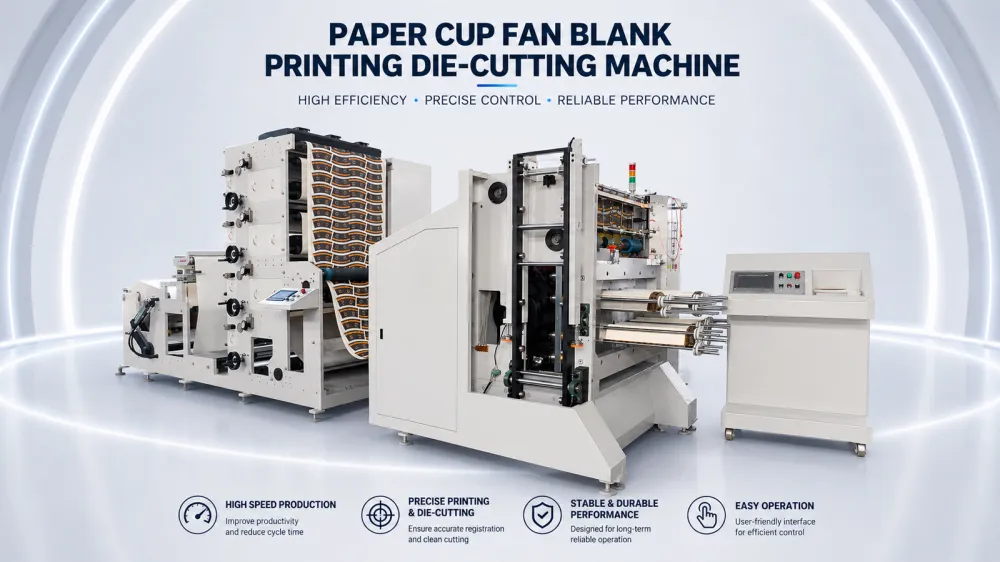
| Paper cups and paper packaging | Flexographic / Offset in selected workflows | Roll or sheet format, food-contact requirements, printing width, production volume, and downstream converting |
| Paper bags | Flexographic | Kraft paper type, width, number of colors, bag production workflow, and whether printing is inline or offline |
| Books, magazines, brochures, catalogs | Offset / Digital | Run length, paper type, image quality, personalization, turnaround time, and finishing |
| Corrugated boxes | Flexographic / Digital | Board thickness, print quality, order size, color requirements, and whether printing is direct or pre-print |
| T-shirts and textiles | Screen / Sublimation / Digital textile printing | Fabric composition, design complexity, batch size, wash resistance, and color requirements |
| Bottles, caps, toys, and small 3D products | Pad / Screen / UV | Product shape, surface material, print area, adhesion, and positioning accuracy |
| Signs, boards, displays, promotional graphics | UV / Large-format / Inkjet | Rigid or flexible substrate, print size, indoor or outdoor use, and required resolution |
| Personalized or short-run printing | Digital | Frequent artwork changes, variable data, minimum order size, setup time, and cost per job |
| Very high-volume packaging | Flexographic / Rotogravure | Annual volume, repeat jobs, cylinder or plate cost, speed, waste, and total production economics |
This table is only a starting point. Two buyers producing the same finished product may still need different printing machines because their materials, order quantities, quality standards, automation requirements, and investment priorities are different.
1. Flexographic Printing Machine
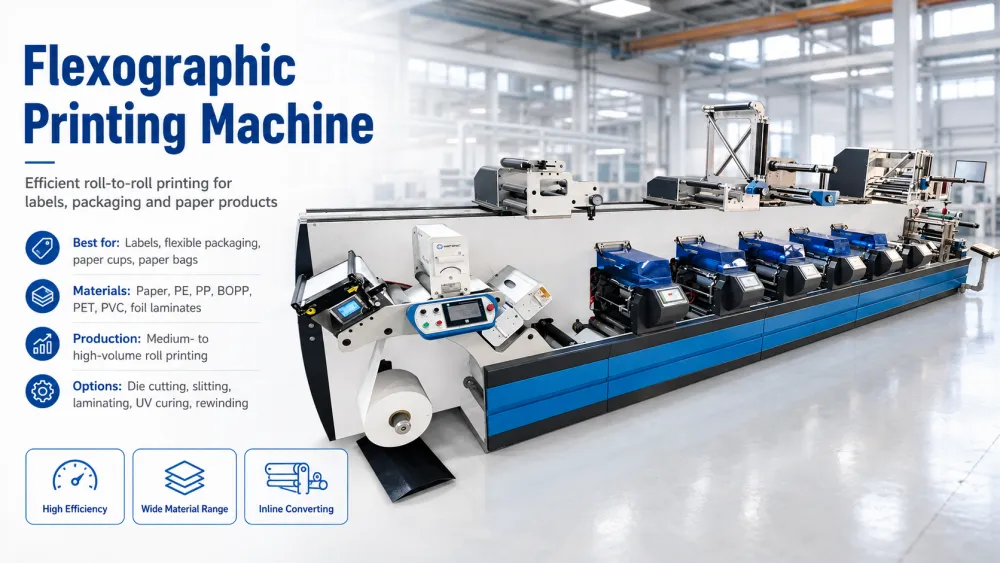
A flexographic printing machine, often called a flexo press, uses flexible photopolymer printing plates mounted on printing cylinders to transfer ink onto a moving web. It is one of the most widely used industrial printing technologies for labels, flexible packaging, paper products, bags, cups, films, and other roll-fed materials.
Flexo printing is especially valuable when buyers need continuous roll-to-roll production combined with relatively high speed, fast-drying inks, and optional inline converting functions.
- Best for: Labels, flexible packaging, paper cups, paper bags, packaging paper, selected films, and other roll-fed products
- Typical materials: Paper, label stock, PE, PP, BOPP, PET, PVC, aluminum foil structures, and other compatible substrates
- Typical production: Medium- to high-volume roll printing
- Main advantage: High production efficiency with broad material and inline-converting possibilities
- Main limitation: Printing plates, anilox selection, tension control, drying, and machine configuration must be matched carefully to the application
Why Do Buyers Choose Flexographic Printing?
Buyers commonly select flexo because one machine platform can be configured around a wide range of packaging and label applications. Depending on the press design, optional units can include die cutting, slitting, laminating, varnishing, cold foil, hot foil, corona treatment, UV curing, IR drying, and rewinding.
This makes flexo attractive not only to end-user factories but also to distributors and agents whose customers may require different combinations of printing and converting functions.
When Is Flexo Usually the Right Direction?
Flexo is usually worth evaluating when the project involves roll-fed packaging materials, labels, paper products, repeat production, multiple colors, or inline converting. It is particularly useful when production speed and cost per unit become increasingly important as order volume grows.
However, buyers should not select flexo simply because it is widely used. The correct press architecture may vary substantially between label printing, paper cup printing, flexible film printing, and wide-web packaging applications.
Buyers who have already confirmed that flexographic printing fits their application can compare Henghao's flexo printing machines for different printing widths, applications, color configurations, and production requirements.
If you first need to understand how plates, anilox rolls, ink transfer, impression cylinders, drying, and web handling work together, see our guide to the flexographic printing process.
2. Offset Printing Machine
An offset printing machine transfers an inked image from a printing plate onto a rubber blanket and then from the blanket onto the printing surface. Offset remains one of the most established technologies for commercial printing where consistent color reproduction and high image quality are required.
- Best for: Books, magazines, catalogs, brochures, posters, folding cartons, stationery, and commercial print products
- Typical materials: Paper, coated paper, paperboard, and selected specialty substrates
- Typical production: Medium- to long-run sheet-fed or web printing
- Main advantage: Excellent print quality and economical output for repeat or higher-volume jobs
- Main limitation: Plate preparation and setup make it less efficient for very short runs or jobs requiring frequent artwork changes
Why Do Buyers Choose Offset Printing?
Offset printing is commonly selected when the priority is high-quality commercial print, fine detail, accurate color reproduction, and competitive cost across medium or long runs.
It remains highly relevant in publishing, advertising materials, commercial cartons, and other applications where sheet-fed production is common.
When Is Offset Better Than Flexo or Digital?
Offset can be a stronger option than flexo when the primary substrate is paper or board and the project does not depend on continuous roll-to-roll packaging production. Compared with digital printing, offset normally becomes more economical when the same design is produced repeatedly in larger quantities.
For buyers, one of the most important distinctions is therefore not simply print quality. It is the relationship between job volume, substrate, setup cost, production workflow, and how frequently artwork changes.
3. Digital Printing Machine
A digital printing machine transfers a digital image directly to the substrate without using conventional printing plates. Depending on the technology, the machine may use inkjet, toner, electrophotographic, or other digital imaging systems.
Digital printing has changed how buyers evaluate short-run production because it reduces setup requirements and makes frequent artwork changes, personalization, and variable data much easier.
- Best for: Short runs, personalized products, variable data, prototypes, frequent artwork changes, and on-demand production
- Typical materials: Paper, labels, board, films, textiles, and specialty substrates depending on the machine
- Typical production: Short- to medium-run jobs
- Main advantage: Minimal conventional plate setup and excellent job flexibility
- Main limitation: Cost per printed unit may become less competitive at very high production volumes
Why Do Buyers Choose Digital Printing?
Digital printing is attractive when customers need small minimum order quantities, multiple SKUs, frequent design changes, variable information, fast turnaround, or personalized graphics.
A label converter, for example, may receive hundreds of short orders with different designs. In that situation, eliminating plate changes can be more valuable than maximizing mechanical printing speed.
When Is Digital Better Than Flexo?
Digital is often more suitable when the buyer has many short jobs and frequent artwork changes. Flexo normally becomes more attractive as repeat volume increases and production efficiency, inline converting, and lower unit cost become more important.
This is why a buyer should compare annual job mix rather than the speed of one machine. A press rated at a higher mechanical speed is not necessarily the more economical choice if most customer orders are extremely short.
4. Rotogravure Printing Machine
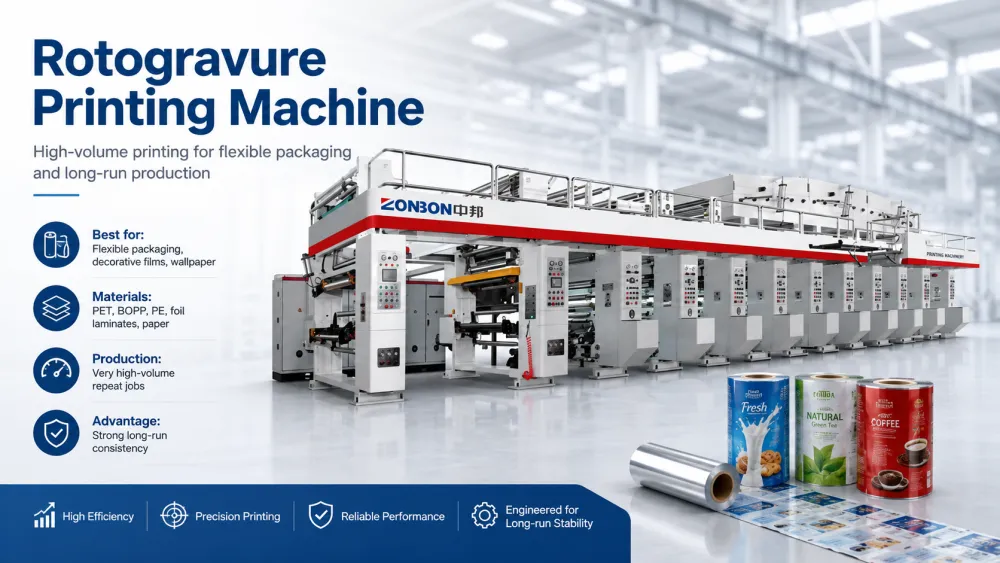
A rotogravure printing machine, commonly shortened to gravure press, uses engraved printing cylinders. Ink fills the recessed cells in the cylinder surface and is transferred directly to the moving substrate.
Rotogravure is particularly associated with high-volume flexible packaging and other long-run applications where repeat consistency, dense color, fine image reproduction, and high production speed are important.
- Best for: Flexible packaging, decorative films, high-volume packaging, wallpaper, and other repeat long-run products
- Typical materials: PET, BOPP, PE structures, foil laminates, paper, and other compatible web materials
- Typical production: Very high-volume and repeat production
- Main advantage: Strong consistency and high-quality output during long production runs
- Main limitation: Engraved cylinders generally involve higher prepress cost and longer preparation compared with simpler plate-based systems
Why Do Buyers Choose Rotogravure?
Rotogravure becomes attractive when buyers have large recurring orders, demanding image requirements, and enough production volume to justify cylinder investment.
This is particularly relevant to established flexible packaging converters running the same designs repeatedly at industrial scale.
Flexo or Rotogravure: Which Should a Packaging Buyer Choose?
There is no universal winner. The correct decision depends on run length, image requirements, substrate, number of SKUs, plate or cylinder cost, changeover frequency, waste, ink system, production speed, and total cost over the expected lifetime of the jobs.
Flexo can be more flexible for buyers handling a broader mix of orders and product changes, while gravure can remain highly competitive for very large and repeatable packaging volumes.
For distributors and procurement teams, the key point is to avoid comparing only purchase price. A lower-priced printing machine can become more expensive if its prepress, waste, changeover, maintenance, or production economics do not match the customer's real order structure.
5. Screen Printing Machine
A screen printing machine transfers ink through selected open areas of a mesh screen onto the printing surface. Because the process can deposit relatively thick layers of ink and work with many different substrate shapes and materials, screen printing remains important in both industrial and decorative applications.
- Best for: Textiles, signs, panels, glass, plastics, electronics, promotional products, and specialty printing
- Typical materials: Fabric, paper, plastic, glass, metal, ceramic, wood, and other rigid or flexible surfaces
- Typical production: Short- to medium-volume jobs, although automated systems can support higher output
- Main advantage: Broad substrate compatibility and the ability to apply thick, opaque, or specialty inks
- Main limitation: Multi-color registration, setup, drying, and production speed can become more complex as job requirements increase
Why Do Buyers Choose Screen Printing?
Screen printing is often chosen when the application requires strong ink coverage, special effects, durable prints, or printing on materials that are difficult to handle with conventional paper or web presses.
It is widely used for garments, industrial panels, product decoration, membrane switches, glass products, signage, and promotional items. Specialty inks can also be used for effects such as high opacity, metallic finishes, conductive layers, or textured surfaces.
When Is Screen Printing the Right Choice?
Screen printing is worth considering when substrate versatility and ink deposit are more important than very high production speed. It can also be suitable when the finished product is flat or semi-flat but cannot easily pass through conventional roll-to-roll printing equipment.
Buyers should confirm the required print area, product dimensions, number of colors, ink type, curing method, registration tolerance, and expected hourly output before selecting manual, semi-automatic, or fully automatic equipment.
6. Pad Printing Machine
A pad printing machine uses a flexible silicone pad to pick up an image from an engraved printing plate and transfer it onto the product surface. The flexibility of the pad allows the process to print on curved, recessed, convex, irregular, and relatively small three-dimensional objects.
- Best for: Bottle caps, pens, toys, medical components, electronics, buttons, tools, and small molded products
- Typical materials: Plastic, metal, glass, ceramic, coated surfaces, rubber, and other manufactured components
- Typical production: Small- to high-volume product decoration depending on automation
- Main advantage: Excellent ability to print small graphics on curved or irregular three-dimensional surfaces
- Main limitation: The printable image area is usually smaller than with screen, digital, or large-format printing
Why Do Buyers Choose Pad Printing?
The biggest reason is usually product geometry. A logo on a pen barrel, measurement mark on a medical component, or graphic on a curved bottle cap may be difficult to print consistently using a flat printing process.
The silicone pad can deform around the surface, making pad printing particularly useful for product manufacturers rather than traditional paper or packaging printers.
What Should Buyers Confirm Before Choosing a Pad Printer?
Start with the finished part rather than the machine specification. Provide the supplier with the product dimensions, surface shape, print area, material, number of colors, required cycle time, and positioning tolerance.
If the product must be automatically fed, positioned, printed, dried, inspected, and discharged, the automation system may influence the total project much more than the printing unit itself.
7. Letterpress Printing Machine
A letterpress printing machine prints by pressing a raised image surface directly against the substrate. Historically it was one of the dominant commercial printing processes, but today it is used more selectively for labels, specialty paper products, luxury stationery, and applications where a tactile impression is desirable.
- Best for: Specialty labels, business cards, invitations, premium stationery, embossed-style paper products, and selected converting applications
- Typical materials: Paper, cardstock, label materials, and selected roll-fed substrates
- Typical production: Specialty short- to medium-run production
- Main advantage: Distinct tactile appearance and suitability for specialty printing
- Main limitation: It is generally less suitable than modern flexo, offset, or digital systems for broad high-volume commercial printing requirements
Why Is Letterpress Still Used?
Modern buyers normally choose letterpress for a specific production reason rather than as a universal printing solution. Examples include premium paper products, specialty labels, tactile print effects, numbering, perforation, or certain integrated converting workflows.
The important point for procurement teams is that “traditional technology” does not automatically mean “outdated.” A mature printing method can still be commercially valuable when its characteristics match a particular product.
Letterpress or Flexo for Labels?
Both technologies can be found in label production, but they should not be treated as interchangeable. Flexo is generally stronger for modern roll-to-roll production, broader materials, higher productivity, multiple drying options, and integrated converting, while letterpress may remain suitable for specific specialty-label workflows or existing production environments.
A label converter should compare the actual job mix, materials, print quality requirements, finishing operations, existing tooling, and future production plans before replacing one technology with another.
8. Sublimation Printing Machine
A sublimation printing machine typically prints special sublimation ink onto transfer paper and then uses heat to transfer the image into a compatible polyester-based substrate. In some systems, direct-to-fabric sublimation may also be used.
- Best for: Polyester garments, sportswear, flags, textile graphics, mugs, coated promotional products, and personalized merchandise
- Typical materials: Polyester fabrics and specially coated products designed for sublimation
- Typical production: Personalized, short-run, medium-run, or industrial textile production
- Main advantage: Bright, durable graphics that become part of the compatible substrate rather than sitting as a thick surface layer
- Main limitation: Material compatibility is restricted primarily to polyester-rich or specially coated substrates
Why Do Buyers Choose Sublimation Printing?
Sublimation is especially attractive for businesses producing custom sportswear, fashion textiles, flags, promotional products, and personalized merchandise. Digital workflows also make it suitable for frequent artwork changes and relatively small orders.
Unlike conventional packaging printing, however, the machine itself is only one part of the workflow. Buyers may also need transfer paper, suitable ink, a heat-transfer calender or press, color-management software, and compatible substrates.
When Is Sublimation Not the Right Technology?
If the customer primarily prints cotton garments, ordinary paper packaging, untreated plastic film, or conventional labels, sublimation is generally not the first technology to evaluate.
This illustrates an important buying principle: a printing machine should be selected according to the interaction between ink, substrate, image-transfer process, and finished-product requirement, not simply according to advertised resolution or speed.
9. UV Printing Machine
A UV printing machine typically uses inkjet printheads together with ultraviolet curing lamps to deposit and cure ink rapidly on the substrate. Flatbed, roll-to-roll, and hybrid UV printers are widely used for signage, decoration, personalized products, displays, and rigid-material printing.
- Best for: Signs, acrylic sheets, boards, promotional products, decorative panels, packaging prototypes, glass, metal, and personalized products
- Typical materials: Acrylic, PVC board, metal, glass, wood, plastics, paperboard, vinyl, and other compatible rigid or flexible substrates
- Typical production: Short- to medium-run digital production and customized work
- Main advantage: Direct printing on a broad range of substrates with rapid curing and no conventional printing plates
- Main limitation: Ink adhesion, substrate surface treatment, printhead maintenance, and ink cost must be evaluated carefully
Why Do Buyers Choose UV Printing?
UV equipment is attractive when companies need to print many different designs or product types without making conventional plates. A flatbed UV printer, for example, can decorate rigid boards, acrylic panels, promotional products, and other items in relatively small quantities.
White ink, varnish, layered printing, and selected texture effects can also increase the range of products that a digital print business can offer.
What Should Buyers Check Before Buying a UV Printer?
Do not evaluate only maximum print size and advertised resolution. Buyers should also compare printhead type, usable print speed, white-ink circulation, curing system, ink compatibility, substrate adhesion, maintenance requirements, spare-parts availability, software, and local technical support.
If rigid products vary significantly in thickness or shape, maximum media height and loading method should also be confirmed before placing an order.
10. Large-Format Printing Machine
A large-format printing machine is designed to produce graphics that are significantly larger than normal commercial documents. Most modern systems use digital inkjet technology and may be configured for roll-fed materials, rigid boards, or both.
- Best for: Banners, posters, billboards, vehicle graphics, wall coverings, exhibition graphics, retail displays, and signage
- Typical materials: Vinyl, banner fabric, paper, canvas, films, wallpaper, boards, and other display materials
- Typical production: Customized short- to medium-run graphics
- Main advantage: Ability to produce very large graphics directly from digital files
- Main limitation: Real production economics depend heavily on ink consumption, print speed, finishing, media handling, and application durability
Why Do Buyers Choose Large-Format Printing?
Large-format systems are designed around finished graphic size and visual communication applications. This makes them fundamentally different from industrial packaging presses that may also handle wide rolls but are optimized for repetitive production at much higher web speeds.
Typical customers include sign shops, advertising companies, display manufacturers, exhibition contractors, decoration businesses, and commercial print service providers.
What Determines the Right Large-Format Printer?
The first questions should be where the finished print will be used, how large it must be, which media must be supported, and how long the print must last.
Indoor posters, outdoor billboards, vehicle graphics, wallpaper, and rigid display panels may require different inks, machine structures, drying or curing systems, laminating processes, and finishing equipment.
Buyers should therefore compare the complete workflow rather than using machine width as the only purchasing criterion.
How Do the 10 Printing Machine Types Compare?
The best printing machine depends on what you print, how much you produce, how frequently artwork changes, and how the printed material moves through the rest of your production line. The comparison below gives buyers a practical overview before evaluating individual machine models.
| Printing Machine Type | Typical Applications | Production Profile | Main Strength | Best Buyer Fit |
|---|---|---|---|---|
| Flexographic | Labels, flexible packaging, paper cups, bags, roll-fed paper and film | Medium to high volume | High-speed roll printing with flexible inline converting options | Converters and manufacturers handling repeat packaging or label production |
| Offset | Books, brochures, catalogs, cartons, commercial printing | Medium to high volume | High image quality and economical repeat commercial printing | Commercial printers producing paper and board products |
| Digital | Short-run labels, personalized products, variable data, books, prototypes | Short to medium volume | No conventional plates and fast job changes | Businesses with many SKUs, short runs, or frequent artwork changes |
| Rotogravure | Flexible packaging, decorative film, wallpaper, repeat packaging jobs | Very high volume | Excellent consistency and image reproduction over long runs | Large converters with stable, recurring production |
| Screen | Textiles, signage, glass, industrial panels, promotional products | Short to medium volume | Thick ink deposit and broad substrate compatibility | Industrial decorators and specialty printing companies |
| Pad | Bottle caps, pens, toys, medical parts, curved components | Small parts to automated mass production | Printing on curved and irregular three-dimensional products | Manufacturers decorating molded or assembled products |
| Letterpress | Specialty labels, invitations, premium stationery, tactile products | Short to medium volume | Distinct impression and specialty effects | Specialty printers with specific premium or legacy workflows |
| Sublimation | Sportswear, polyester textiles, flags, promotional goods | Short to industrial production | Durable full-color graphics on compatible polyester materials | Textile and personalized-product businesses |
| UV | Boards, acrylic, glass, metal, promotional products, signage | Short to medium volume | Direct digital printing on many rigid and flexible materials | Print service providers handling customized substrates |
| Large Format | Banners, posters, vehicle graphics, displays, wallpaper | Customized short to medium runs | Large image sizes and flexible digital workflows | Signage, advertising, exhibition, and display companies |
No single printing technology is best for every application. A machine that performs very well for millions of flexible packaging impressions may be inefficient for hundreds of customized labels, while a digital system designed for short jobs may become expensive when the same artwork runs continuously at industrial volume.
How to Choose the Right Printing Machine
Before comparing machine brands, models, or prices, define the production requirement. For most industrial buyers, the following factors have a greater impact on the final result than headline machine specifications.
1. Start With the Finished Product
First define what the customer ultimately wants to sell or manufacture. A label, paper cup, food pouch, brochure, T-shirt, bottle cap, and advertising board require very different printing technologies.
This is particularly important for distributors and agents. If your customer cannot name the printing technology, ask for a finished product photo or physical sample instead.
2. Confirm the Printing Material
The substrate may immediately eliminate several machine options. Important information can include paper type, film structure, thickness, GSM, surface treatment, coating, rigidity, roll width, and whether the material is supplied in sheets or rolls.
For film projects, simply saying “plastic” is usually not enough. PE, PP, BOPP, PET, PVC, laminated structures, and coated materials may behave differently during tension control, ink transfer, drying, and surface treatment.
3. Calculate Real Production Volume
Do not evaluate only maximum printing speed. Ask how many units or meters the customer expects to produce per job, per day, per month, and per year.
Short jobs usually favor fast setup and low changeover cost. Long repeat jobs place more emphasis on stable production speed, waste control, plate or cylinder economics, automation, and maintenance efficiency.
4. Define the Number of Designs and Colors
A customer producing one design continuously has different requirements from a converter handling hundreds of SKUs. Confirm the number of printing colors, design complexity, frequency of artwork changes, spot colors, variable data, and whether white ink, varnish, or special effects are required.
More color stations do not automatically mean a better machine. Unnecessary stations increase investment, machine length, setup requirements, and maintenance.
5. Check Registration and Print Quality Requirements
Ask what level of registration accuracy and image quality is actually necessary. Pharmaceutical labels, premium packaging, simple paper bags, corrugated cartons, and industrial markings may have very different standards.
When possible, provide the machine supplier with actual artwork and an acceptable finished sample instead of relying only on descriptions such as “high quality.”
6. Understand the Complete Production Workflow
A printing machine often sits inside a larger production process. Buyers should identify what happens before and after printing.
For example, a label line may require die cutting, varnishing, laminating, slitting, waste removal, and rewinding. Flexible packaging may require corona treatment, printing, laminating, curing, slitting, and bag making. Paper cup production may involve printing, die cutting, forming, and inspection.
The correct machine is therefore not always the press with the highest printing specification. It is the one that integrates efficiently with the required production workflow.
7. Compare Total Investment, Not Only Machine Price
The purchase price is only one part of the investment. Buyers should also estimate plates or cylinders, inks, consumables, electricity, compressed air, installation, floor space, operators, waste, maintenance, spare parts, and downstream equipment.
A cheaper printing machine may create higher long-term production cost if it requires more waste, longer changeovers, more manual labor, or expensive consumables.
8. Plan for Future Products
Buying only for today's job can create production limits later. If the customer expects to add wider materials, more colors, new packaging structures, higher speed, or inline converting, these plans should be discussed before the final machine configuration is confirmed.
However, unnecessary future-proofing can also increase investment. The goal is to choose a machine with realistic expansion capacity rather than paying for functions the factory is unlikely to use.
What If Your Customer Does Not Know Which Printing Machine They Need?
This situation is common for distributors, trading companies, importers, and sales agents. The customer may understand the finished product but not the printing process behind it.
Instead of asking the customer, “Which printing machine do you want?”, collect information about the product first.
| If Your Customer Says | What You Should Ask Next | Possible Printing Direction |
|---|---|---|
| “I want to print food packaging film.” | Film structure, width, colors, repeat length, annual volume, lamination, and food-packaging requirements | Flexographic or rotogravure |
| “I need a machine for labels.” | Label material, width, colors, order quantity, die cutting, varnishing, variable data, and finished roll specification | Flexographic or digital |
| “I want to print paper cups.” | Paper structure, roll or sheet format, cup size range, colors, width, food-contact requirement, and forming workflow | Flexographic or selected offset workflow |
| “I need to print logos on plastic parts.” | Part shape, material, print area, number of colors, positioning accuracy, and production rate | Pad, screen, or UV |
| “We produce customized T-shirts.” | Fabric composition, order size, design frequency, print area, colors, and durability requirements | Screen, sublimation, or other digital textile technology |
| “We need a machine for short customized orders.” | Material, average order size, SKU count, variable data, finishing, and turnaround target | Digital printing |
Even if the customer cannot provide every technical detail, a product photo, material sample, artwork file, finished size, and expected production volume can usually help an experienced supplier narrow the project to the correct printing technology.
Questions to Ask Before Requesting a Printing Machine Quote
An accurate quotation requires more than asking for a machine price. Before contacting a printing equipment supplier, prepare as much of the following information as possible:
- Finished product: What will be produced after printing?
- Printing material: Paper, label stock, film, board, textile, plastic component, or another substrate
- Material specification: Width, thickness, GSM, structure, coating, or surface treatment
- Number of colors: Including white ink, varnish, spot colors, or special effects if required
- Maximum print size or web width: Based on the actual job rather than only the finished product
- Production volume: Typical order size and expected daily or annual output
- Production speed: Required stable output rather than only theoretical maximum speed
- Finishing requirements: Die cutting, slitting, lamination, varnishing, embossing, rewinding, or other processes
- Automation level: Manual, semi-automatic, or highly automated production
- Available factory space: Machine footprint, operator space, material handling, and utilities
- Electrical standard: Local voltage, frequency, and phase
- Investment target: A realistic budget range helps suppliers avoid proposing unsuitable configurations
- Future plans: Additional products, wider materials, higher output, or additional colors expected later
For distributors and agents, this checklist can also be sent directly to the end customer. It reduces repeated communication and helps machine manufacturers prepare a more accurate technical proposal.
Frequently Asked Questions About Printing Machines
Which printing machine is best for packaging production?
Flexographic and rotogravure machines are the most common choices for high-volume flexible packaging. Flexo is often preferred for broader job flexibility and changing SKUs, while gravure can be highly economical for very long repeat runs. Digital printing may suit short customized packaging orders. The best option depends on material, volume, colors, quality, and converting workflow.
Which printing machine is suitable for self-adhesive labels?
Flexographic and digital printing machines are the main options for self-adhesive labels. Flexo is commonly used for medium- and high-volume production with inline die cutting and finishing, while digital performs well for short runs, variable data, and frequent design changes. Compare average order length, SKU quantity, colors, material, and finishing before choosing.
What printing machine is used for plastic film?
Flexographic and rotogravure presses are widely used for plastic film printing. The correct machine depends on PE, BOPP, PET, PP, PVC, or laminated structures, as well as film thickness, width, tension behavior, surface treatment, inks, drying, and expected production volume. The exact film specification should be confirmed before machine selection.
Is digital printing better than traditional printing machines?
Digital printing is usually better for short runs and frequent design changes, but not automatically for high-volume production. It avoids conventional plates and supports variable data, while flexo, offset, or gravure can deliver lower unit costs at larger volumes. Compare the customer's complete annual job mix rather than one individual order.
How many colors should a printing machine have?
Most industrial projects use between 2 and 10 printing colors, but the correct number depends on the artwork. Simple logos may need only 2–4 colors, while complex packaging can require 6–8 or more stations. White ink, varnish, coating, or special colors may also occupy stations, so review actual artwork before configuring the press.
How much does an industrial printing machine cost?
Industrial printing machine prices can range from tens of thousands to several hundred thousand US dollars or more. Technology, width, colors, speed, automation, printheads or cylinders, drying, finishing modules, and brand all affect investment. Buyers should compare total production cost, tooling, consumables, installation, waste, maintenance, and output rather than purchase price alone.
Can one printing machine handle several different materials?
Yes, many printing machines can process multiple materials, but only within their designed operating range. A flexible press may support paper and selected films, while UV systems can handle multiple rigid substrates. Ink compatibility, tension, drying, adhesion, thickness, surface treatment, and feeding method must all remain suitable for each material.
What information should I send before requesting a quotation?
Send the product, material, dimensions, number of colors, production volume, speed target, and required finishing functions. Photos, artwork files, physical samples, and current production data are especially useful. If you are a distributor and your customer cannot provide technical specifications, start with the finished product and expected output rather than trying to guess a machine model.
Should I buy the fastest printing machine available?
No. The fastest advertised machine is not always the most productive machine for your factory. Real output depends on setup time, drying, material stability, changeovers, waste, operator skill, maintenance, finishing, and average order length. Stable production speed and usable daily output are usually more important than theoretical maximum speed.
How can a distributor identify the right machine for a customer?
Start with the customer's finished product, material, size, artwork, order volume, and production workflow. Then determine which printing technology fits those conditions before comparing models. If technical information is incomplete, send product photos or samples to the machine supplier so the project can be evaluated before a quotation is prepared.
Choosing the Right Printing Machine Starts With the Application
There is no universal printing machine that offers the lowest cost, highest quality, fastest changeover, broadest substrate range, and highest production speed for every job. Each technology solves a different production problem.
For buyers, the most reliable selection process is to move in this order:
Finished product → material → print requirement → production volume → printing technology → machine configuration → supplier and model.
This approach is especially useful for global distributors, procurement teams, and agents because it prevents the purchasing process from starting with an unsuitable machine model.
If your project involves labels, paper cups, paper bags, flexible packaging, or other roll-fed materials, flexographic printing may be one of the technologies worth evaluating. Henghao Machinery can review your product sample, material, printing width, number of colors, production requirements, and converting needs to help determine whether a flexo solution is suitable before a machine configuration is proposed.
Share this article: